



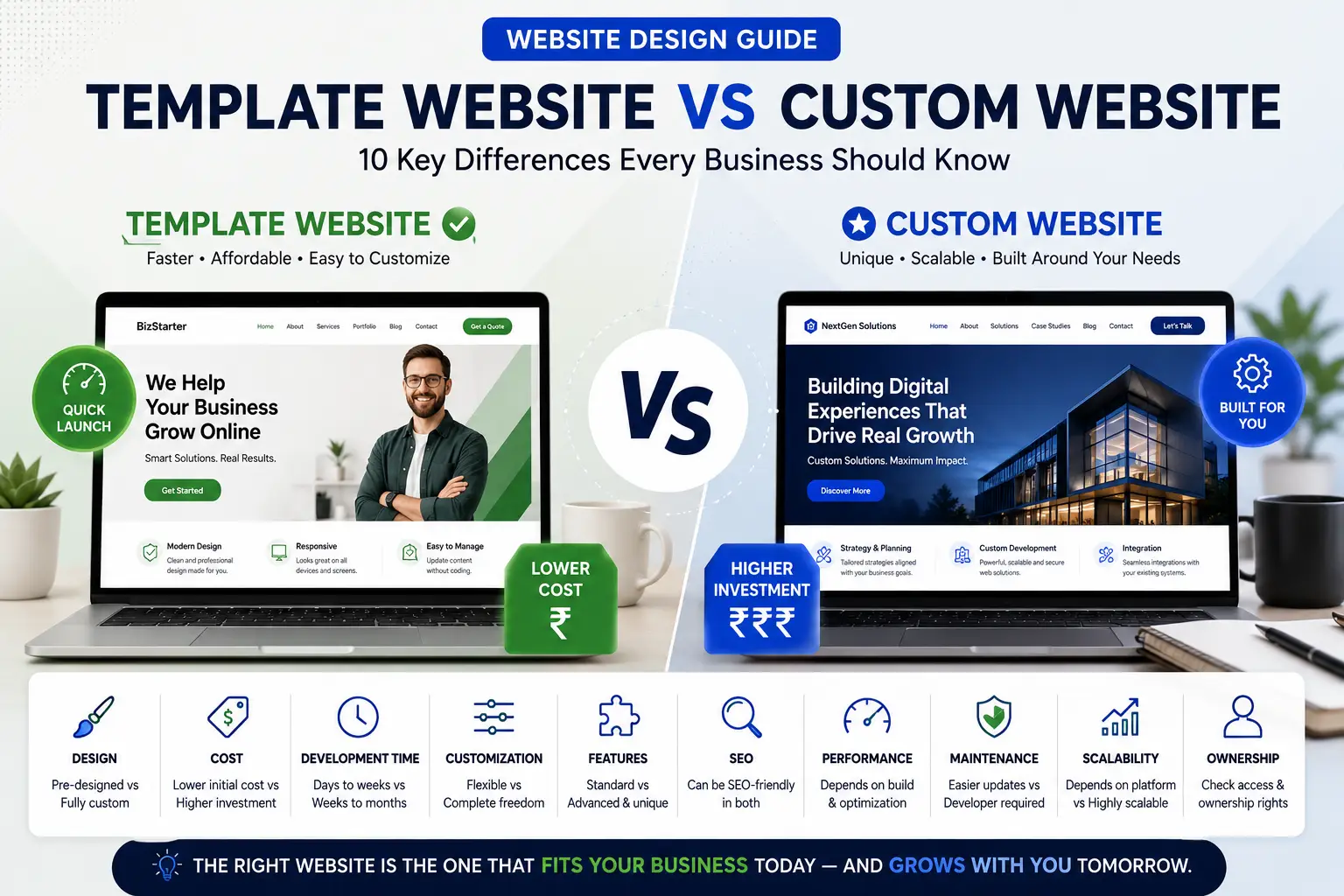
Template vs Custom Website: 10 Key Differences Every Business Should Know
When you're planning a new website, one of the first decisions you'll need to make is whether to use a website template or build a completely custom website.
It's an important question because the two approaches can differ significantly in terms of cost, development time, customization, functionality and long-term flexibility.
A template website can help a business launch faster and with a lower initial investment. A custom website can provide greater control over the design and functionality.
But there's another option that many businesses overlook: Start with a professionally designed website and customize it around your business.
In this guide, we'll compare template websites and custom websites across 10 important areas, explain when each approach makes sense, and help you decide which option is right for your business.
Template vs Custom Website: What's the Difference?
What Is a Template Website?
A template website starts with a pre-designed layout created for a particular type of business or website. The structure, visual style and page layouts already exist. The website can then be customized with your logo, colours, images, content, services, products, contact information and branding.
What Is a Custom Website?
A custom website is designed and developed specifically for a particular business and its requirements. The design can be created from scratch around brand identity, target audience, user experience, business goals, content, features, workflows and integrations.
Template vs Custom Website: 10 Key Differences
| Factor | Template Website | Custom Website |
|---|---|---|
| Initial Design | Pre-designed | Designed from scratch |
| Development Time | Usually faster | Usually longer |
| Initial Cost | Usually lower | Usually higher |
| Customization | Good to extensive | Extensive |
| Features | Often supported | Can be built |
| SEO | Can be SEO-friendly | Can be SEO-friendly |
| Performance | Depends on implementation | Depends on implementation |
| Scalability | Depends on platform | Highly customizable |
| Maintenance | Depends on platform | May require specialized support |
1. Design
Templates give you an established visual structure and responsive layout. Custom design provides total control from the ground up for unique user experiences.
2. Cost
Templates reduce initial design and development expenses. Custom projects demand more planning and testing, raising costs. Always evaluate what features, support, and quality are included.
3. Development Time
Templates offer ready-made starting points to launch quickly. Custom builds go through wireframing, design reviews, and extensive testing cycles.
4. Customization
Professionally customized templates allow deep modifications to brand colors, fonts, content, and sections without needing a scratch build.
5. Features and Functionality
Standard business features like contact forms and booking are supported in templates, while highly unique workflows require custom development.
6. SEO
SEO success depends on content quality, mobile performance, structure, and metadata—not solely whether a site is template-based or custom.
7. Performance
Speed relies on clean coding, optimized images, and efficient hosting configuration regardless of the chosen setup route.
8. Scalability
Ensure your chosen platform architecture or custom setup can scale easily as your business grows and adds new pages or products.
9. Maintenance
Every site requires ongoing updates. Custom features may need specialized developer support when changes arise.
10. Ownership and Control
Always verify domain, content, and file ownership with your service provider regardless of the development path.
When Should You Choose a Template vs Custom Website?
Choose a Template If:
- You need a professional business website
- Your requirements are standard
- You want to launch quickly
- You want to control initial costs
- You want to see design directions upfront
Consider Custom If:
- You need unique web application features
- You require complex backend integrations
- You run specialized workflows
- You need a highly unique UX model
How iWebMagics Approaches Website Design
At iWebMagics, you don't have to choose between a generic template and a costly, complex custom build. Start with a professionally designed concept and customize it around your brand, content, features, and growth goals.
- Choose a Design: Browse concepts across different industries.
- Shortlist: Pick the styles that match your brand.
- Customize: Adapt the layout to your exact business specifications.
- Add Features: Integrate booking, forms, WhatsApp, or analytics.
- Launch: Go live quickly and professionally.
Choose a design you like. We'll build the rest.
Frequently Asked Questions
Is a custom website better than a template?
Not necessarily. Custom provides flexibility, but a professionally customized template is often ideal for standard business needs.
Is a template website good for SEO?
Yes, provided it features strong content structure, fast performance, and proper technical setup.
Can a template website look unique?
Yes. Deep customization of imagery, colors, fonts, and layout options results in a distinctive brand identity.
How much does a custom website cost?
Costs scale widely depending on design complexity, page count, and specific development tasks required.
Ready to Choose Your Website Design?
Explore professionally designed website concepts from iWebMagics, choose a design that fits your business and customize it around your requirements.
Website Design Guide
Continue exploring the iWebMagics Website Design Guide for practical advice on website design, business websites, website costs, features, SEO, redesigns and choosing the right website for your business.